
GEO Content Structure & Formatting: the Marketer’s Guide
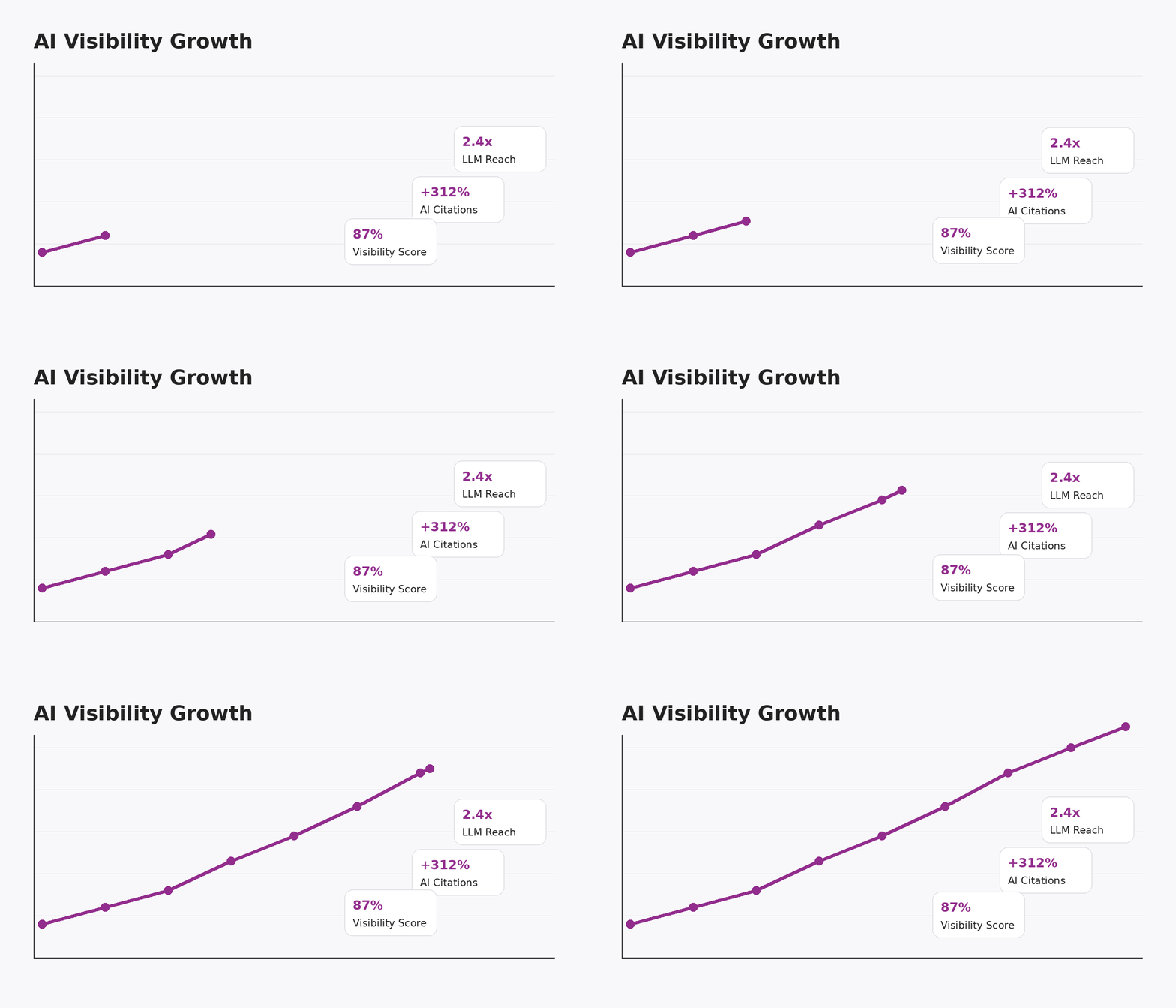
How Our Clients Did Last Month
Month-over-month traffic trends. Source: Google Search Console
Topics We Cover in this Page:
Key takeaways from this guide:
- Generative Engine Optimisation (GEO) encompasses a series of digital marketing techniques that improve brand visibility on AI-powered answer engines like ChatGPT, Google AI Overviews, Perplexity, and Claude.
- Optimising your content to surface in AI answers requires specific content structuring and formatting to increase the likelihood of AI bot information retrieval.
- Use our recommended best practices to structure and format your content for both search and answer engines (and people too!).
Helpful Links to GEO, AEO, LLMO Resources
- Generative Engine Optimisation (GEO) encompasses a series of digital marketing techniques that improve brand visibility on AI-powered answer engines like ChatGPT, Google AI Overviews, Perplexity, and Claude.
- Optimising your content to surface in AI answers requires specific content structuring and formatting to increase the likelihood of AI bot information retrieval.
- Use our recommended best practices to structure and format your content for both search and answer engines (and people too!).
What’s Generative Engine Optimisation (GEO)?
Generative Engine Optimisation is the continuous practice of enhancing your content and online presence so that it appears in AI-powered search engines (like ChatGPT, Google Search Generative Experience, Perplexity, and Claude), either through mentions or citations.
GEO is also known as answer engine optimisation (AEO) and large language model optimisation (LLMO).
Is GEO the same as SEO? Not exactly, but it does complement search engine optimisation. That’s why digital marketers, like Geeky Tech, integrate GEO techniques into their existing SEO services. Whereas traditional SEO focuses on getting your webpages to rank on page one of search engines for a desired keyword, GEO tries to make it easy for LLM crawlers to understand, surface, and reference your content.
Besides content formatting and structure, which we will be discussing in this post, GEO encompasses keyword and user intent strategy, technical optimisation, and off-site authority-building through brand mentions, backlinks, etc.
What Is GEO Content Structure & Formatting?
Simply put, GEO content structure and formatting is the way your content is presented on the page to ‘make it easy’ for LLMs to read and effectively use in an AI query.
Content that’s optimised for AI takes these elements into consideration:
- Headings and content hierarchy
- Section summaries
- People Also Ask and Featured Snippets question formats
- Tone of voice
- Page layout
Why Does Formatting Matter for AI Search Engines?
As with traditional search engine optimisation, formatting matters because it serves two main purposes: to make it easy for both crawlers and people to understand what’s on the page. As they say, what’s good for the goose is good for the gander.
Optimising content formatting for GEO success means making it genuinely helpful, easy to understand, and structured so that AI can extract clear answers.
Additionally, content that’s mirrored in the same format as People Also Ask and Featured Snippet Google properties helps AI tools retrieve answers to user queries.
Besides, when you structure content for GEO, you’re already aligning with Google’s Helpful Content Guidelines as well as E-E-A-T (experience, expertise, authoritativeness, trustworthiness), so consider it a given that your content is also satisfying SEO.
Let’s take a closer look at GEO best practices.
How Do You Structure Content for GEO Success?
The most important thing to remember when structuring your content is that clarity matters the most. No ambiguity, no mysteries, and no hiding the answers somewhere in a paragraph.
Let’s go over best practices for the following content elements:
- Logical headers
- Conversational subheadings & questions
- Content ‘chunks’
- Concise paragraphs
- Summaries and TL;DR (too long; didn’t read)
- Schema
Make Your Headers Logical and Hierarchical
Think of headers and subheaders as the load-bearing pillars of a house. If your content page is the house, then every new idea is a floor requiring a supporting header. The more floors you add, the more pillars you need.
Use H2s to break up your main points into logical sections, and smaller headers like H3s and H4s to help support these ideas. Using subheaders in a clear way gives both search and AI engines a roadmap for understanding how information is grouped and which ideas are related to each other.
Here’s a more visual example of what we mean by logical and hierarchical headers:
- H1: Top 5 Ways to Make Your Cat Happy
- H2: #1: Keep Your Cat Active
- H3: Activate their Prey Drive with Toys
- H4: Name of toy
- H4: Name of toy
- H4: Name of toy
- H3: Let them Outside
- H3: Build an Indoor Obstacle Course
- H3: Activate their Prey Drive with Toys
- H2: #2: Take them for Regular Checkups
- H3: Keep Vaccinations Up to Date
- H3: Practice Disease Prevention
- H3: Ask Vet for Weight Management Advice
- H2: #3: Spend Quality Time with Your Feline Friend
- H3: Don’t Leave Them at Home for Too Long
- H3: Strengthen Bond through Play
- H4: Bonding game
- H4: Bonding game
- H2: #1: Keep Your Cat Active
You get the idea. The H3s and H4s support the H2s with more context and help divide the information into logical sections. Again, this also works for human readers because the headers give us a pretty quick way to scan the page and find the information we’re looking for.
Include Conversational Subheadings & Questions
TL;DR:
- Avoid using jargon
- Use semantically relevant keywords in your headers
- When you ask a question, answer it right away. You can always elaborate and clarify afterwards.
- Consider whether your question is better answered in a table or a chart. These page elements can also be pulled into AI summaries.
- If your header asks for a definition, answer it in the following paragraph as succinctly as possible.
- For example, if your H2 is ‘How long should my meta descriptions be?’, your answer should be short, neutral, and, obviously, accurate: ‘meta descriptions should be no longer than 150 characters.’
Want your content to appear in Google properties like People Also Ask and AI Overviews? Use conversational headers and ask and answer questions directly in the text. Not only does this reflect exactly how people search for information online, but it also makes it much easier for answer engines to pluck out the answer directly from your text.
Using the People Also Ask box as a guide to format your content is helpful because it comes directly from user queries, which means you’re meeting user intent. By posing questions and answering them immediately, you guarantee both user satisfaction and Generative Engine Optimisation.
When you consider how AI tools like ChatGPT engage with users, you realise that it has a pretty impressive capacity to deliver information in a conversational and natural way. By mirroring this type of language, you’re appealing not only to GenAI but also to voice assistants who tend to prefer this tone.
Break Up Content into Logical 'Chunks'
Best Practices:
- Be complete. Each section should be as self-contained as possible without being too dependent on other parts of the page.
- Each chunk should logically flow into the next
- Use bullets, numbered lists, and other formatting options where logical to clearly delineate content chunks and break up larger sections.
- If your section is longer than seven paragraphs, consider dividing it into two smaller sections (guidelines only).
- Leverage FAQs where possible to help optimise your page for answer engines.
Some marketers call this ‘content chunking’ which sounds a bit gross to us, but it simply refers to the idea that content is best served in bite-sized sections that are easy for readers to digest and for AI to extract.
More than just aiming for short paragraphs (which we’ll get to in the next section), content chunking keeps all relevant information tightly packaged together.
How does chunking help optimise your page for GenAI? Content that asks and answers a question fully within a single readable chunk of text has been shown to outperform content that takes forever to make a point.
These self-contained chunks of text are more likely to satisfy user intent than content that’s scattered across multiple sections or buried under other unrelated headers.
Use Concise Paragraphs
Keep it short and sweet, and avoid fluff.
Closely related to the previous point, make sure your content is broken into concise paragraphs.
In fiction, the long paragraph is perfectly correct if the author is still discussing the same topic introduced in the first sentence. Just look at the great writers of the English canon: crack open any page of any book written by Dickens or even Kerouac and you’ll be hard-pressed to find a line break.
But long paragraphs don’t work for generative search engines, nor for our poor eyeballs, for that matter. For content writers with creative writing backgrounds, it might feel counterintuitive to arbitrarily chop up your paragraphs, but smaller paragraphs are better for GEO and readers because:
- They make it easier for our eyes to scan the content.
- They simplify information extraction.
When in doubt, aim for brevity. If you’ve written a page that Dickens would love, scan through it again to see where you can split up your ideas.
Take Advantage of Summaries & TL;DRs
Key Takeaways:
- Use short summaries at the top of the page and at the beginning of longer sections to highlight the important information.
- Label your summaries clearly (literally add something like Key Takeaways, TL;DR, or In Summary before your bullet points or short sentences) to help AI find them.
- Try not to repeat yourself.
You might have noticed throughout this page that we have included summaries, TL;DRs, and key takeaways. That’s because these serve both answer engines and human readers by distilling essential details into just a few short bullet points.
How does that help readers? It gives them the key facts first. You’re not only giving them a shortcut by helping them avoid the less-than-necessary bits, but you’re also telling them what matters most.
How do TL;DRs help AI models? For effectively the same reason. By doing all the hard work for AI, you’re making it as simple as possible for the system to extract the data it needs to provide a snappy answer (or search result).
Add Schema Markup
TL;DR:
- Schema markup is a standardised format used to write structured data. It is both machine-readable and easy to implement on web pages.
- Google recommends the use of schema markup.
- There are different types of schema, e.g. Article, FAQPage, Product, Organization, Event, LocalBusiness, HowTo.
Also known as structured data, schema markup is code written in a format that makes it even easier for both search engines and LLMs to understand. It is a recommended practice for GEO and SEO alike.
Article schema looks something like this:
Whereas FAQ schema looks like this:
And the best part? You don’t have to know JSON (the most widely used schema format) in order to create your own schema markup. Simply ask your favourite AI tool to generate it for you.
Of course, the next logical question is where to include this code. This can be a bit tricky if you’ve never done anything technical on your site before. Luckily, many SEO plugins and CMS platforms will help you insert this code correctly.
If in doubt, ask your dev team for help.
Common Content Creation Mistakes That Make Your Pages Unfriendly to AI
We may not be robots, but we know a badly formatted page when we (try to) read one. Most of these are just rookie mistakes or slips of common sense. The next time you’re working on an optimised page, avoid the following whoopsies:
As we mentioned in the section about information hierarchy, all important details should be presented at the top of each section and as close to the top of the page as possible. This gives AI engines better context.
Reading an enticing header like, ‘What should you never feed your cat?’ and then having to work to find the answer is annoying for readers. If your header asks a question, the first or second line immediately following it should answer it. Don’t leave the user hanging.
Ideas tossed together in a vaguely linear fashion might work in a high school essay, but they aren’t AI-friendly. People tend to use headers to quickly scan a page before diving in, so not only are headers helpful signposts, but they also tell web crawlers what the text below it is about.
The general rule of thumb is to avoid going longer than 300 words before adding your next header, but even that feels a little long these days. As we said earlier, reserve your H2s for major ideas and H3s for the ideas that support them. Be sparing with H4s, and even more so with H5s. Adding headers just for the sake of it can confuse AI bots about the information’s real importance.
Redundant or filler content happens for a few reasons:
- You haven’t thoroughly edited your AI-generated content
- You don’t have a solid grasp of the topic
- You haven’t reached your target word count, but you’ve already said everything you need to say
These are common dilemmas that often lead to the dreaded fluff. To avoid writing filler content that may dilute quality and lower your credibility, reread your page again with a critical eye. You might find that certain sections require more depth, while others could use some pruning.
If you’ve run out of things to say and feel like you have no choice but to repeat yourself to meet the word count, take a look at what your competitors are saying. Are they covering a topic in greater detail? Are they giving more granular information where you’ve just glossed over it? On the other hand, avoid being dogmatic about the word count at the expense of quality.
While this page is mainly about style and not substance, E-E-A-T is still relevant. Simply put, AI tools prefer credible content. You can follow the correct structure down to the letter, but if your content itself doesn’t demonstrate your brand’s credibility, authority, and trustworthiness, then it might not be surfaced in AI-generated responses.
But you can fix that.
Tips for signalling E-E-A-T on the page:
- Include an author byline that links to the credentialed writer’s bio
- If possible, add an additional ‘About the Author’ blurb at the bottom of the page
- Link to relevant internal pages to help strengthen topical authority
- Consider including your list of sources within the page
- Avoid blindly posting AI-generated content. If you’re using AI to help you write, make sure it’s been edited and formatted by a human subject matter expert.
GEO Content Structure & Formatting Checklist
Optimise your content for generative search engines like ChatGPT, Google SGE, Perplexity, and Claude.
- Use a single H1 that clearly defines the page topic
- Break sections up with H2s for main ideas and H3s for supporting info
- Avoid excessive or unnecessary use of H4s and H5s
- Keep fewer than 300 words between subheadings
- Phrase headers as questions when appropriate
- Answer each question directly below the header
- Avoid jargon; use natural, user-intent-friendly language
- Consider tables, lists, or charts to answer clearly
- Include relevant keywords or terms in headings
- Group content into self-contained chunks or sections
- Ensure each section flows logically into the next
- Use bullet points and numbered lists where appropriate
- Break up long sections into smaller subsections
- Use FAQs to reinforce user intent
- Keep paragraphs short (aim for 2–4 lines)
- Avoid filler content or repetition
- Lead with the main idea in each paragraph
- Use bolding to emphasise key points when relevant
- Include ‘Key Takeaways’ or ‘TL;DR’ near the top of the page
- Add short summaries to the beginning of major sections
- Label summaries clearly to improve LLM extraction
- Avoid repeating summary content unnecessarily
- Add schema types like Article, FAQPage, or HowTo in JSON-LD format
- Use a plugin or embed code manually if needed
- Ensure schema matches on-page content
- Don’t bury key info or answers deep in the content
- Keep your header structure consistent
- Eliminate fluff and AI filler
- Avoid misleading or vague subheadings
- Ensure each section delivers on what the heading promises
- Add an author byline with a linked bio
- Include an ‘About the Author’ section at the end of the post
- Internally link to relevant, authoritative pages
- Cite reliable sources where appropriate
- Have a human edit and review any AI-assisted content
Final Thoughts
Page structure helps make your content crystal clear. The way you present, label, and organise your words will have a direct impact on how effective ChatGPT, Google SGE and others will understand and cite your brand when answering user queries.
The most important thing to keep in mind is that content formatting is meant to be genuinely helpful. If it meets the needs of both readers and bots alike, then not only are you boosting your brand authority, but you’re also ensuring maximum visibility in both traditional search engines and answer engines.